MP3 Converter
The complete audio toolkit, on the device
Convert any video or audio file to the format you need. Pull a song apart into its instruments, lay the pieces out on a multitrack timeline, clean up a recording, read text aloud or write speech down. Twenty-five tools, one app — and the work runs on the phone, not on somebody else’s server.
Android version coming soon
- Requires
- iOS 17.0 or later
- Devices
- iPhone · iPad
- Android
- Coming soon
- Price
- Free · In-app purchases
- Languages
- 35
- Sources
- Google Drive, Dropbox, Yandex Disk, WebDAV, SMB
- Seller
- Turbo Ventura
- audio tools
- 25
- output formats
- 38
- instruments, separated on device
- 6
- layers per Studio project
- 8
- languages
- 35
01
Tools
One tap each
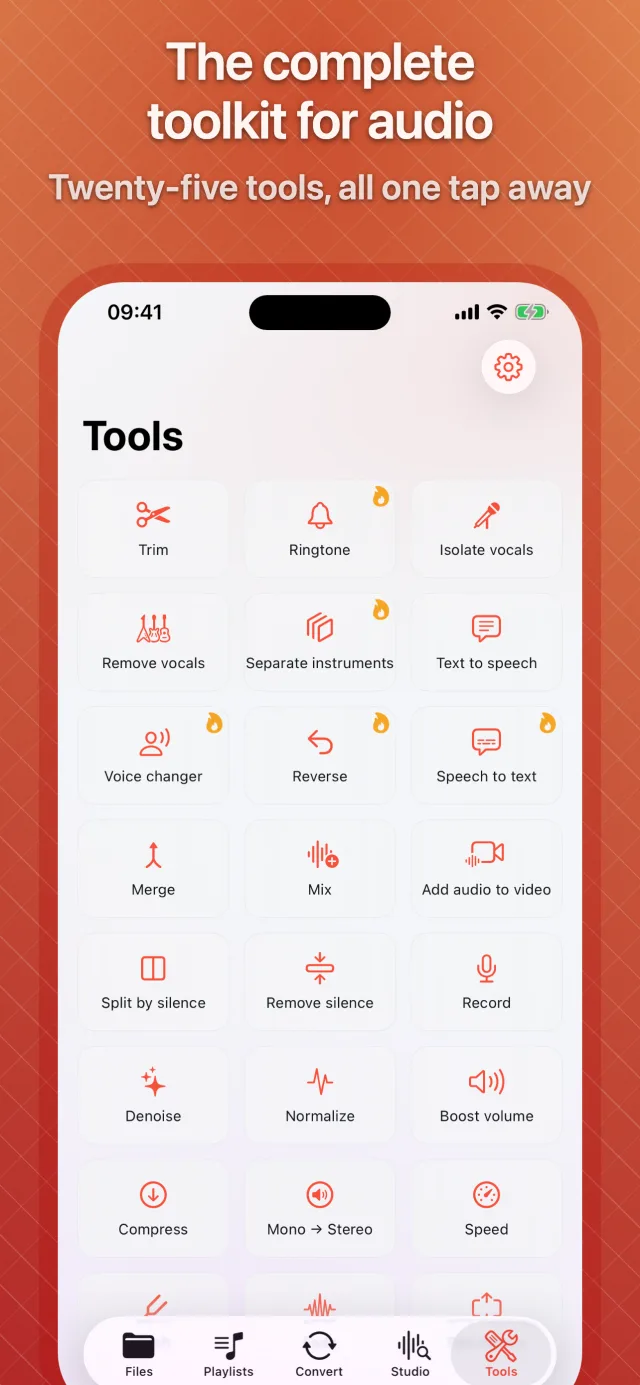
Twenty-five tools for the jobs audio actually needs.
Pick a file, pick a tool, get a result. Each one opens on its own screen with a preview, so a quick trim or a vocal removal never needs the full editor.
Edit · 10
- Trim
- Merge
- Mix
- Split by silence
- Remove silence
- Pad silence
- Fade
- Speed
- Pitch
- Reverse
AI & voice · 07
- Separate instruments
- Isolate vocals
- Remove vocals
- Text to speech
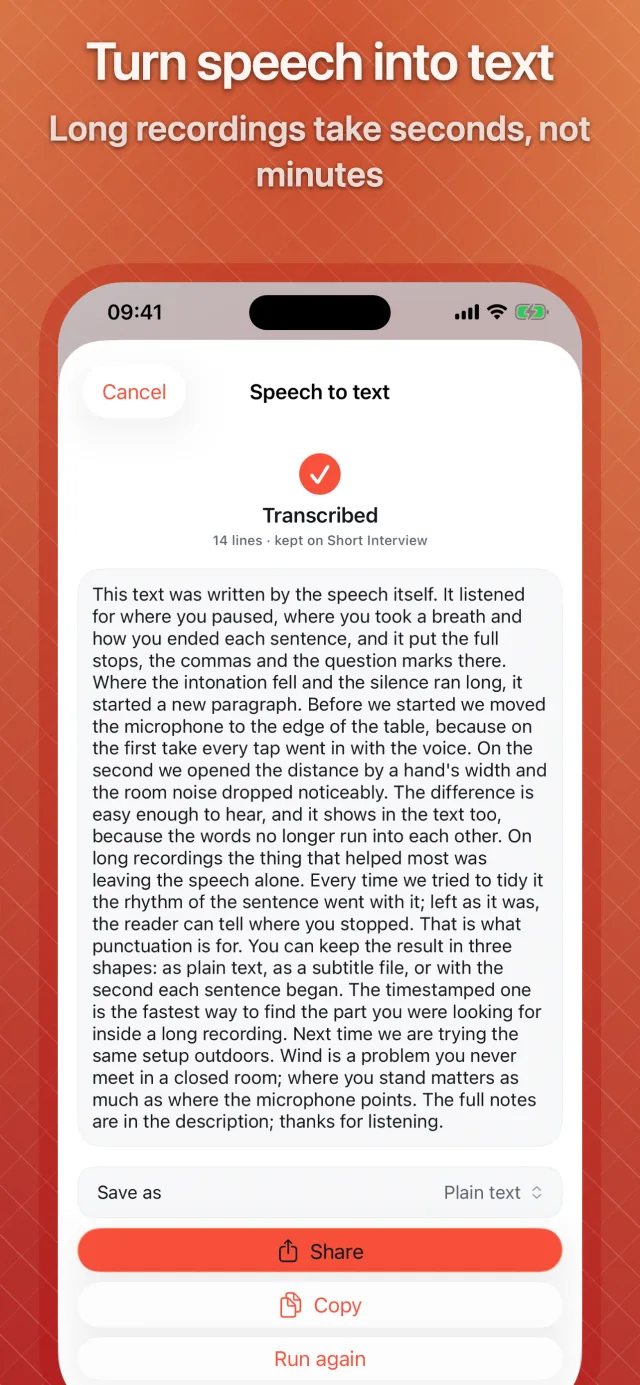
- Speech to text
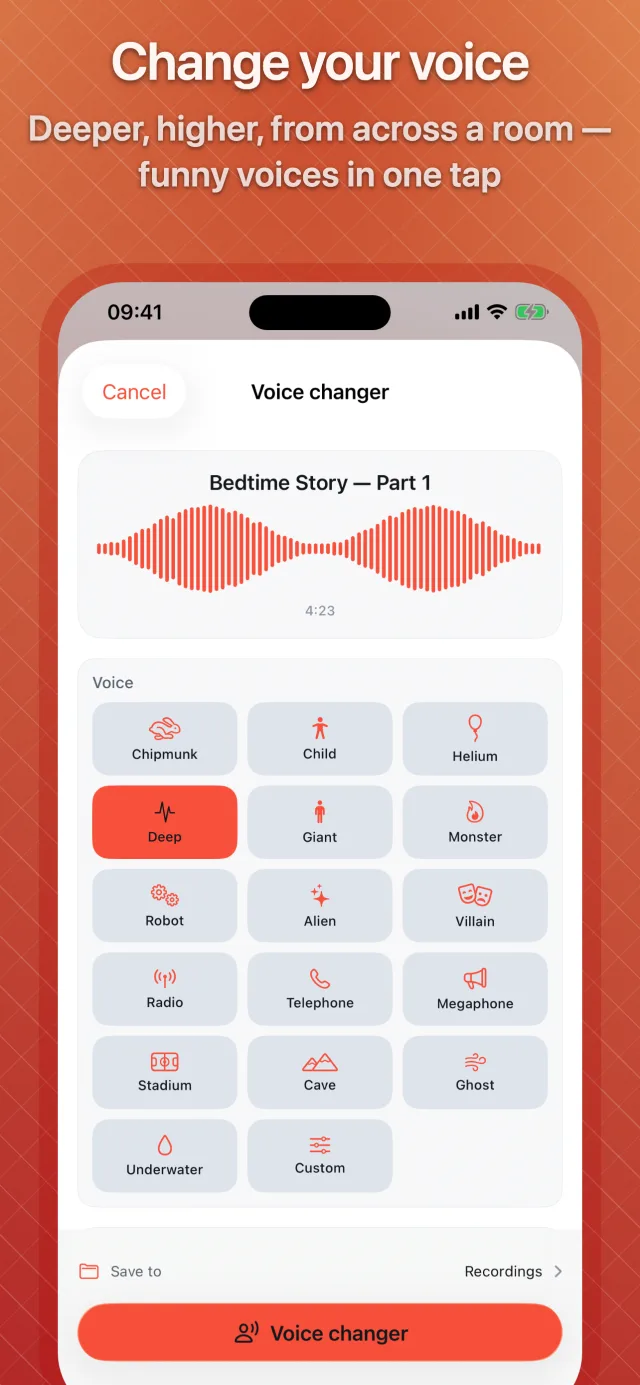
- Voice changer
- Record
Clean up · 05
- Denoise
- Normalize
- Boost volume
- Compress
- Mono → Stereo
Make · 03
- Ringtone
- Add audio to video
- Blank audio
02
AI & voice
Runs on the device
Take a song apart. Put a voice together.
Instrument separation, text to speech and transcription, done by the phone in your hand.
-
01
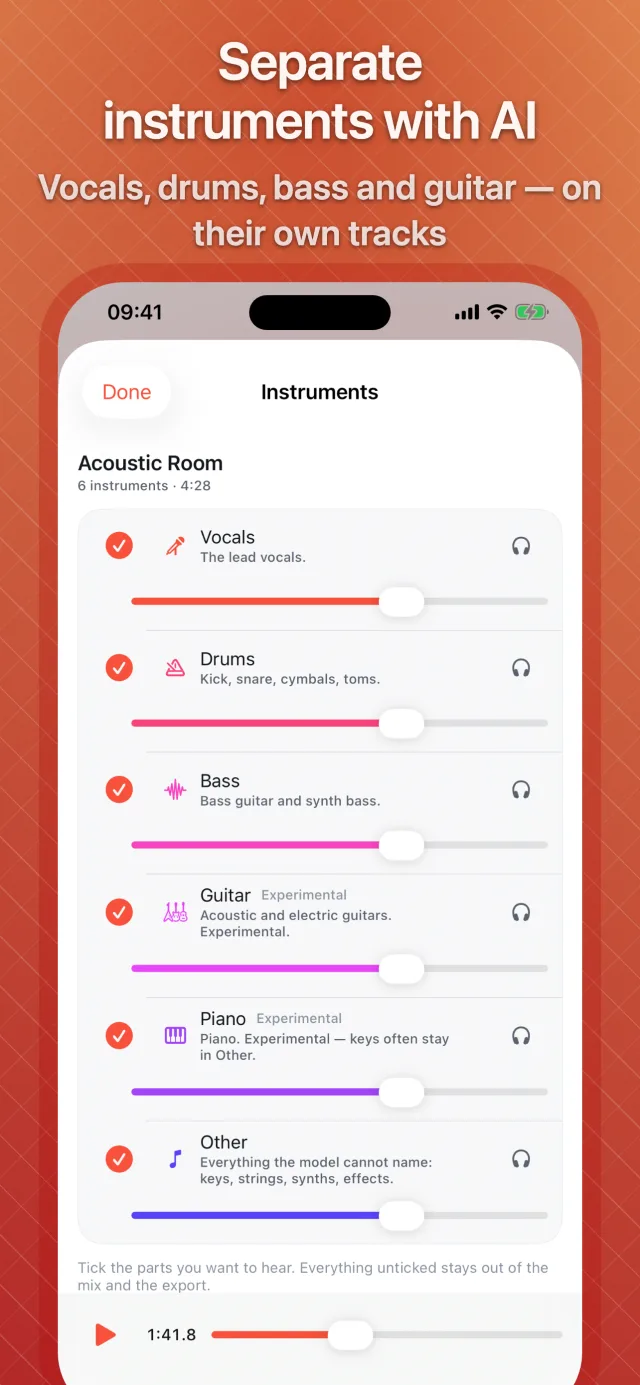
Six instruments out of one song
Vocals, drums, bass, guitar, piano and everything else, each on its own track. A mixer lets you solo and tick the ones you want, then export them, the mix, or open the lot in the Studio. Guitar and piano are still marked experimental.
-
02
Vocals in, vocals out
Isolate vocals and Remove vocals run the same separation network, so a karaoke track is the song without its singer rather than a filter that cancels the middle of the stereo image.
-
03
On the phone, not on a server
The network is downloaded once, about 128 MB, the first time you use it. After that, a song is separated on the device itself — roughly ten seconds per minute of music on a recent iPhone.
-
04
Text to speech
Up to 100,000 characters read out by the voices installed on your device, Personal Voice included, with a pronunciation list and one file per chapter. Exports to any audio format, with LRC, SRT or WebVTT timings alongside.
-
05
Speech to text
Recordings transcribed on the device and exported as plain text, SRT or WebVTT. If your language has no on-device model, the app tells you so rather than sending the audio anywhere.
-
06
Voice changer
Sixteen presets, from Chipmunk and Giant to Robot, Telephone, Cave and Underwater, plus your own settings — with an A/B switch to hear the original.
03
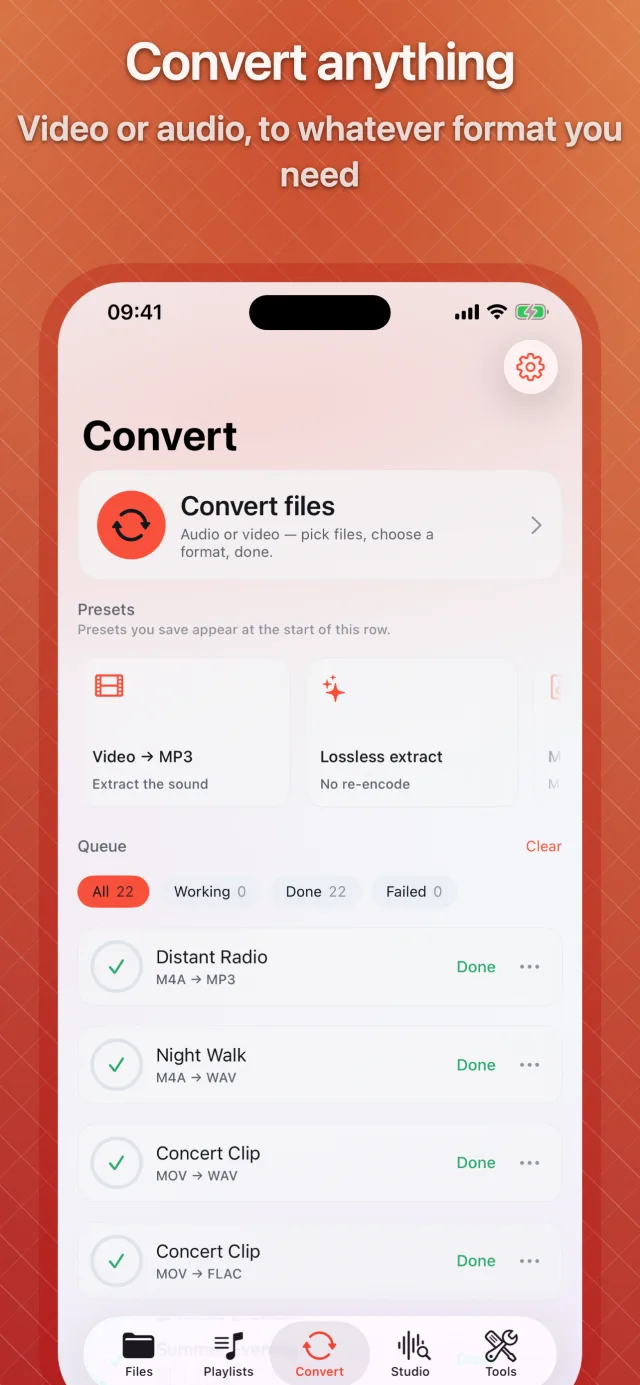
Convert
Stream-copy first
An FFmpeg build we compile ourselves, with Apple’s hardware encoders beside it.
| Audio out | MP3, M4A (AAC), AAC, WAV, FLAC, ALAC, AIFF, Opus, OGG, WavPack, W64, CAF, WMA, AC3, MP2, DTS, AMR, AMR-WB, GSM, Speex, OGA, AU, SND, VOC, IRCAM |
|---|---|
| Video out | MP4, MOV (HEVC), MKV, M4V, AVI, WebM, WMV, FLV, TS, MPG, 3GP, 3G2 — and GIF |
| Video in | MP4, MOV, M4V, MKV, AVI, WebM, WMV, FLV, TS, M2TS, MTS, 3GP, MPEG, VOB, OGV, DivX, ASF, F4V |
| Audio in | MP3, M4A, M4B, AAC, WAV, AIFF, FLAC, ALAC, Opus, OGG, WMA, APE, WavPack, AMR, CAF, AC3, E-AC3, DTS, MP2, TTA, MKA and more |
-
01
Lossless extraction when the file allows it
If the audio inside a video can be copied out untouched, it is copied — no re-encode, no generation loss, done in seconds. A video whose streams already fit the new container is repackaged the same way.
-
02
Enhance, measured first
Loudness normalised to a streaming, podcast or broadcast target, denoise in three strengths, tone presets, silence trimmed from the start and end, fades — and a limiter that keeps the result from clipping.
-
03
Effects on the way out
Karaoke, room or hall reverb, stereo widening, noise gate, declip, pitch by semitones, and silence added before or after.
-
04
Video, too
Speed from 0.25× to 4×, rotate, centre crop to 16:9, 4:3, 1:1 or 9:16, a frame-rate cap, remove the audio, or turn a clip into a GIF. H.264 and HEVC go through Apple’s hardware encoders.
-
05
Split and preview
Split a file by its chapters, by a CUE sheet or at its silences. Preview the first ten seconds through your settings, with an A/B switch against the original, before committing to the whole file.
-
06
A queue that runs on its own
Batch conversion with a format per file, saved presets, a Live Activity while it runs and a notification when it finishes. Pick a folder for auto-convert and new files in it are queued each time you open the app.
-
07
Tags and artwork carried across
Title, artist, album and embedded cover art follow the file into formats that can hold them, and you can set artist, album, genre or year for a whole batch at once.
04
Studio
A DAW in your pocket
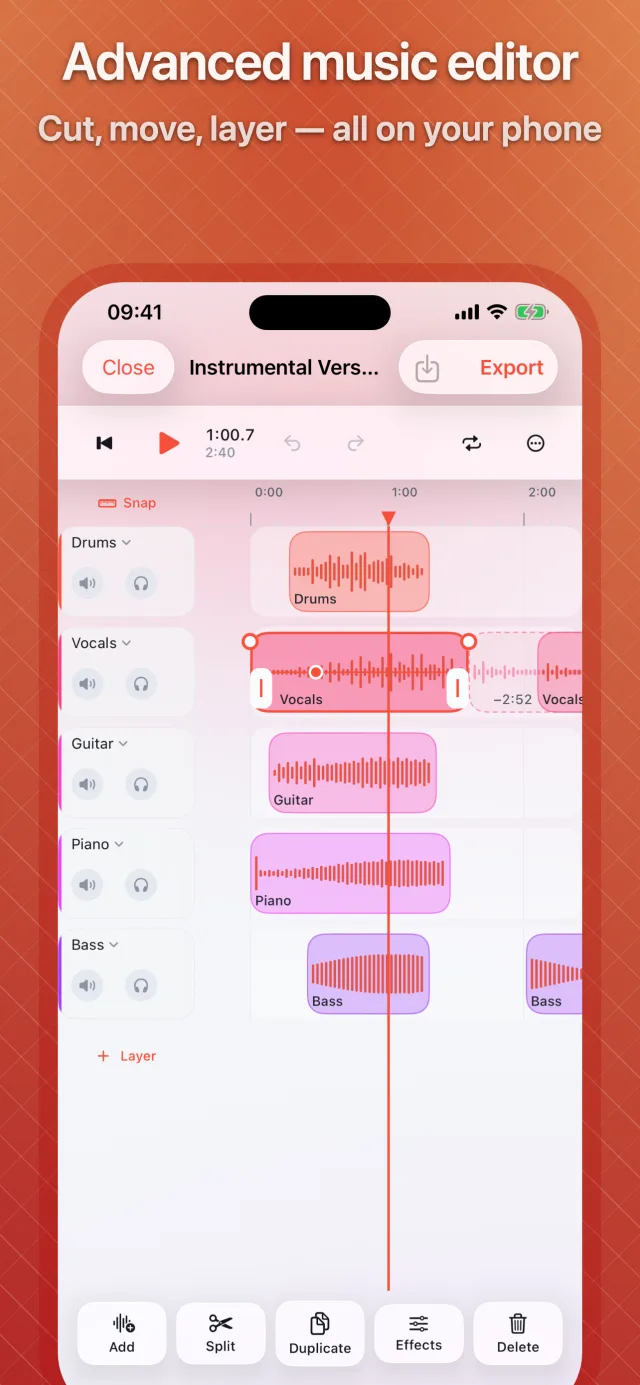
Layers, effects, a timeline. On a phone.
Arrange separated instruments into your own version, lay a voice over music, or build a track from scratch — and export it the way a desktop DAW would.
-
01
A real multitrack timeline
Up to eight layers per project, each with mute, solo, volume, pan, a three-band EQ, a compressor and a gate. Projects can be duplicated, renamed and searched.
-
02
Clips that take a full effect rack
Volume drawn on the clip, pan and EQ, reverb and echo sends, fades with linear, equal-power or logarithmic shapes, pitch by semitones, tempo from half to double speed, reverse, and a volume curve with points.
-
03
Editing that behaves
Crossfades where clips overlap, multi-select, cut, copy and paste, split at the playhead or across every lane, ripple delete, markers, a loop band, time-stretch by length — and keyboard shortcuts on iPad.
-
04
Auto-duck and a recorder
Duck the music under a voice layer in one step, and record straight into a layer with pause, resume and listen-back.
-
05
Export like you mean it
Any of the 25 audio formats, at a streaming or podcast loudness target, as the whole project, the loop band or the span between two markers — or one file per layer, with markers written as chapters.
05
Player & library
Everything in one place
- A player that opens what the system will not
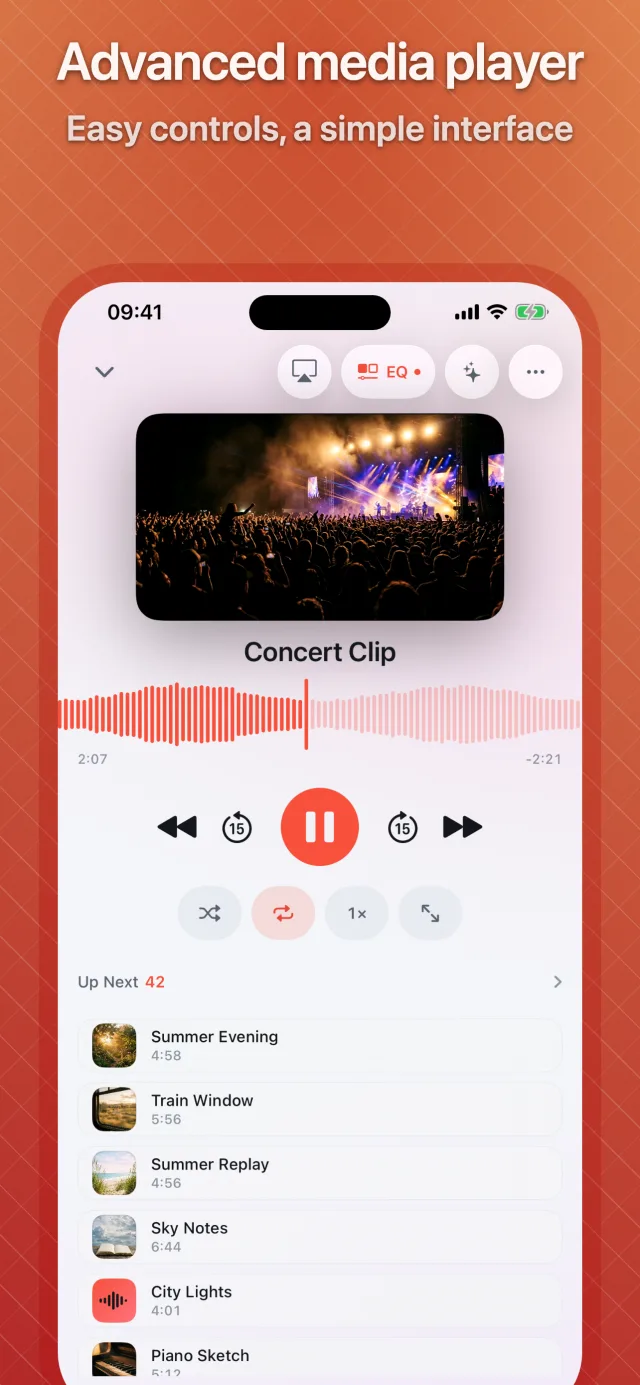
- MKV, AVI, WebM, OGG, WMA, APE and the rest play inside the app, audio and video alike, in the background and in Picture in Picture.
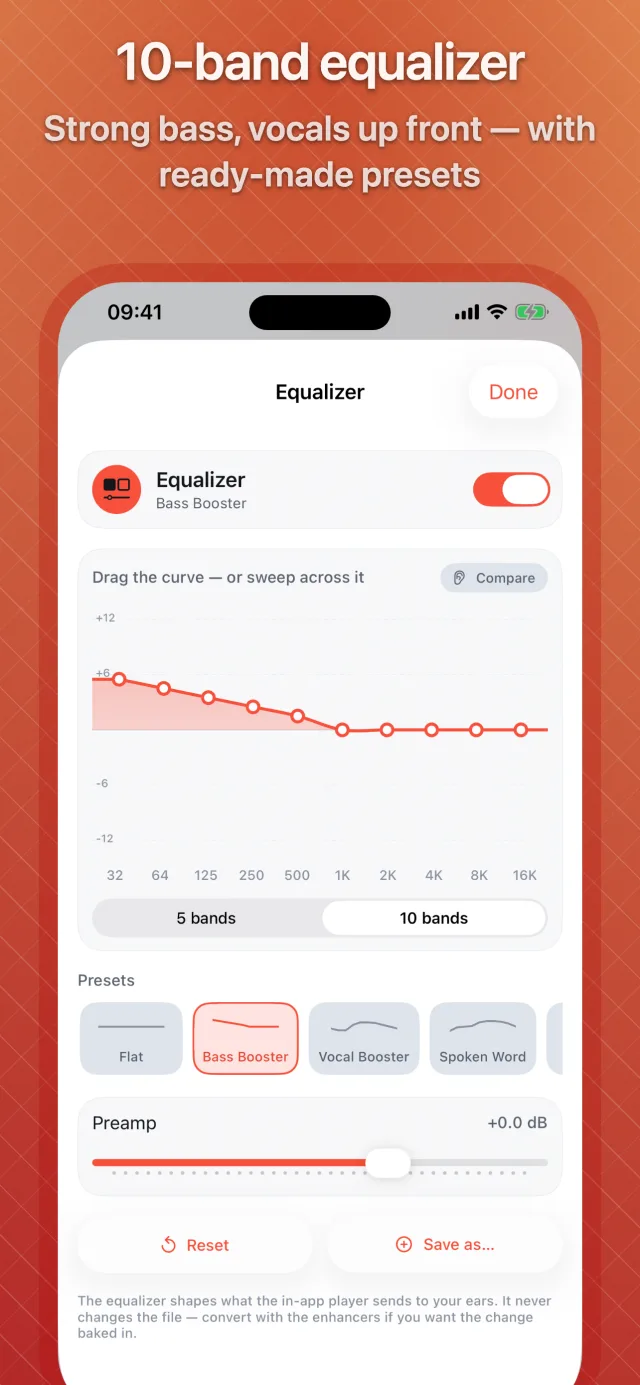
- Equalizer and visualizer
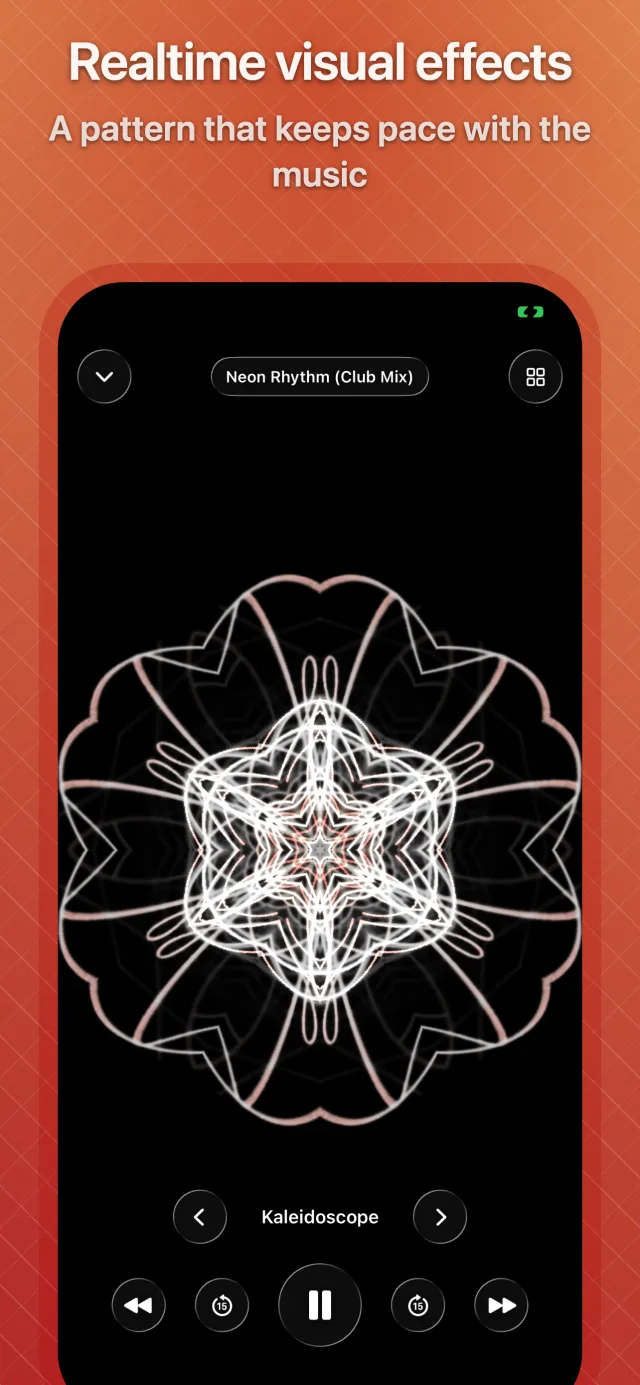
- A 10-band equalizer with a preamp, 23 presets and your own saved curves. Forty-four visualizer looks in five families, drawn with Metal and tinted by your accent colour.
- Video controls under your thumb
- Swipe to seek, the left edge for brightness and the right for volume, pinch between fit and fill, double-tap to skip fifteen seconds. Playback speed, a sleep timer, audio-track and subtitle menus.
- A library with folders
- Nested folders, search, sort and filters, multi-select to move, copy, convert or tag a batch, and an info card with codec, bit rate, sample rate and channels.
- Tags, playlists, favourites
- A tag editor that writes title, artist, album, genre, year and track back into the file without re-encoding it. Playlists in your own order, Favorites and Recently played.
06
Get files in
No cable
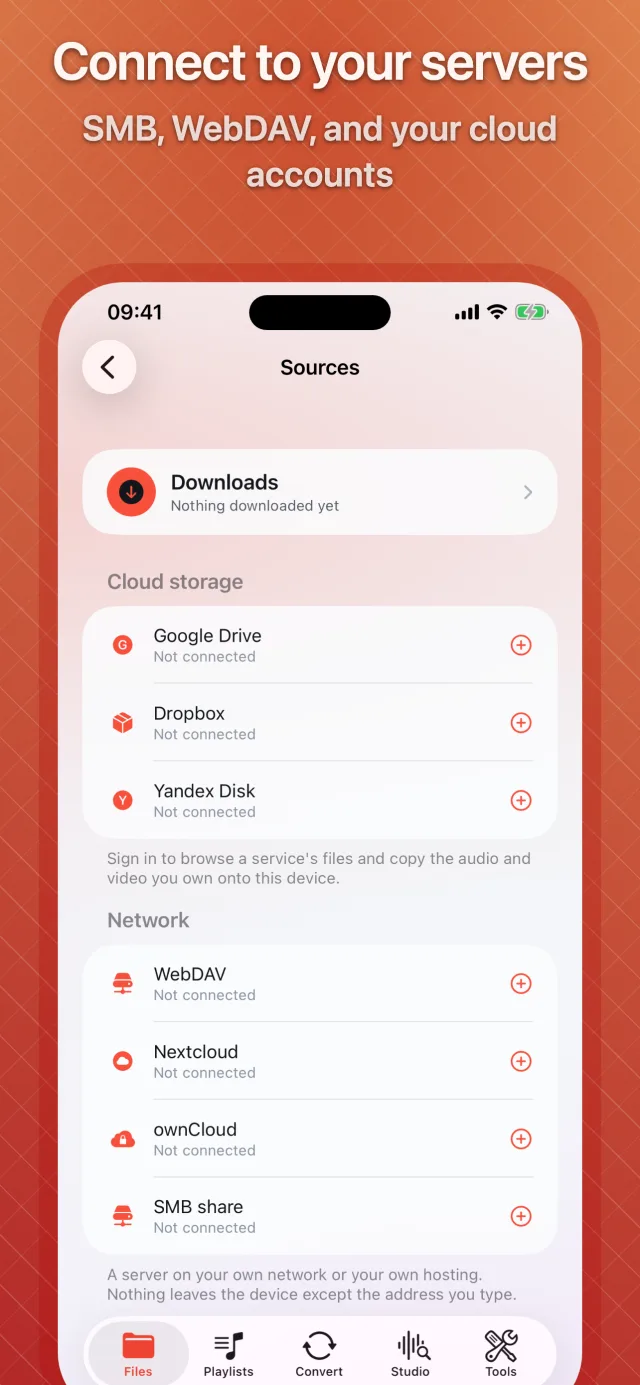
Your own drives and servers, browsed inside the app.
Cloud storage
- Google Drive Sign in · read-only
- Dropbox Sign in · read-only
- Yandex Disk Sign in · read-only
Your own server — no sign-in, no key
- WebDAV Address and password
- Nextcloud Address and password
- ownCloud Address and password
- SMB Address and password
A connection runs between your device and the service you chose. It passes through nothing of ours.
-
01
Two accounts are two rows
Sign in twice to the same service and you get two entries, each browsed and signed out on its own.
-
02
Read-only, on purpose
The app asks Google Drive, Dropbox and Yandex Disk for read-only access. It copies files down; it has no permission to change or delete anything on your drive.
-
03
Wi-Fi transfer
Open the address on a computer on the same network, enter the access code or scan the QR code, and send files in, download them out, or stream without saving.
-
04
Everywhere else iOS offers
The share sheet from any app, Open in from Files and Mail, the Files picker, videos from Photos, and paste from the clipboard.
07
On iOS
Native, not wrapped
- Widgets
- Now Playing on the Home Screen and the Lock Screen, with play, pause and skip; Quick Actions straight into Convert and the tools; a Live Activity while a conversion runs.
- Shortcuts and Siri
- Nineteen actions for Shortcuts — convert, extract audio, make a ringtone, trim, merge, mix, add audio to video, read text aloud, record, play a playlist — seven of them ready as Siri phrases and in Spotlight.
- App Lock
- A 4- or 6-digit passcode with Face ID, Touch ID or your Apple Watch, a grace period you choose, and widget content that hides while the app is locked.
- Made for iPhone and iPad
- A sidebar on iPad, every orientation, light and dark with three depths of dark, twelve accent colours or your own, and Dynamic Type and VoiceOver throughout.
In your language — 35 of them
EnglishTürkçeDeutschFrançaisEspañolPortuguêsItalianoNederlandsCatalàDanskSvenskaNorskSuomiPolskiČeštinaSlovenčinaHrvatskiMagyarRomânăΕλληνικάРусскийУкраїнськаالعربيةעבריתहिन्दीไทยTiếng ViệtBahasa IndonesiaBahasa Melayu日本語한국어简体中文繁體中文
08
Privacy
No account
Your files are worked on where they are: on your phone.
- No account with us, and nothing to identify you by.
- Conversion, the Studio, AI separation, text to speech and transcription all run on the device.
- Cloud sign-ins are read-only — the app never writes to your drive.
- App Lock keeps the library behind a passcode or Face ID.
- Purchases go through Apple; we never see payment details.
09
Questions
Before you download
01 Does MP3 Converter upload my files anywhere?
No. Conversion, the Studio, every tool, instrument separation, text to speech and speech to text all run on the device. Your files only travel when you move them yourself — from your own cloud drive or server, or over Wi-Fi transfer on your own network.
02 How does instrument separation work without a server?
The app downloads a separation network of about 128 MB the first time you use it, then runs it on the phone’s own processor and graphics chip. It needs a device with at least 3.5 GB of memory, handles songs up to twenty minutes, and takes roughly ten seconds per minute of music on a recent iPhone.
03 What does “lossless extraction” mean?
Most videos already contain an audio track your phone can play. When the container allows it, the app copies that track out byte for byte instead of re-encoding it — so the result is identical to the audio inside the original file, and it finishes in seconds.
04 Which formats can it write?
Twenty-five audio formats — MP3, M4A, AAC, WAV, FLAC, ALAC, AIFF, Opus and OGG among them — and twelve video formats plus GIF. Ringtones are written as .m4r by the Ringtone tool.
05 Is the Studio a real multitrack editor?
Yes. A project holds up to eight layers, each with its own volume, pan, EQ, compressor and gate, and every clip has fades, pitch, tempo, reverb and echo sends. It exports to any of the 25 audio formats, or one file per layer.
06 Can I make a ringtone with it?
Yes. The Ringtone tool trims a track to thirty seconds or less and exports it as .m4r, which is the format iOS installs ringtones from.
07 Can I bring files in from my cloud drive?
Yes. Sign in to Google Drive, Dropbox or Yandex Disk and browse it inside the app, or connect your own server over WebDAV — Nextcloud and ownCloud included — or SMB. Cloud access is read-only: the app copies files down and cannot change anything on your drive.
08 Is it in my language?
The app ships in 35 languages and follows your device language automatically, or you can pick one inside the app.
09 Does it work on iPad?
Yes. The app is built for both iPhone and iPad, with a sidebar and keyboard shortcuts on iPad, and requires iOS or iPadOS 17.0 or later.
10 Is there an Android version?
It is on the way. MP3 Converter for Android is in development and will be listed here when it reaches Google Play.
Get MP3 Converter
iOS 17.0 or later · iPhone · iPad · Android coming soon